Lab 3-1 ARP Observation
Summary:
In this lab we used the wireshark tool in order to see arp requests and replys.
Summary of understanding:
- You can flush the arp cache on linux by using
sudo ip -s -s neigh flush all - I had no issues while completing this lab
I. Analyze Capture for ARP packets:
-
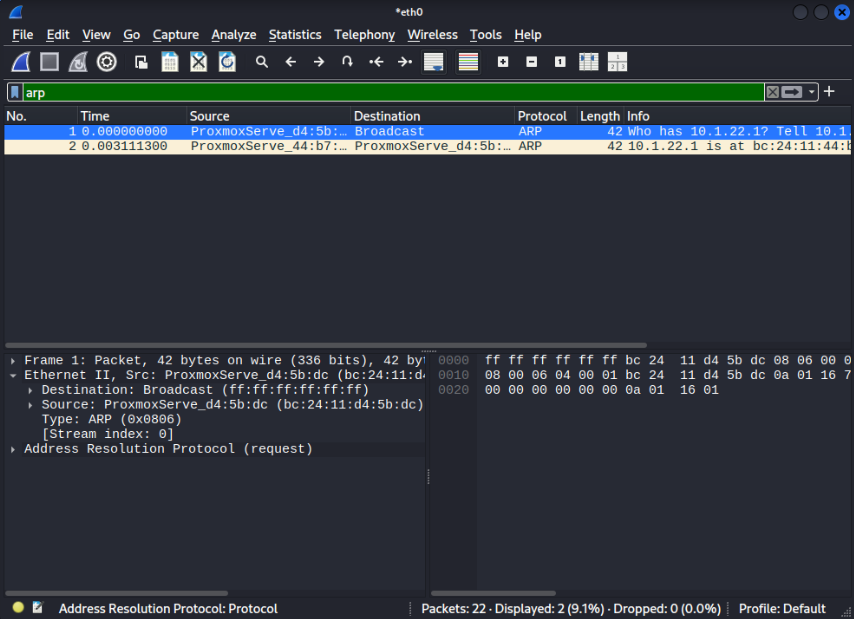
Deliverable 1: Find the ARP broadcast that your computer used to find the gateway's MAC address. Provide a screenshot that shows the source and destination MAC address of this broadcast.
-
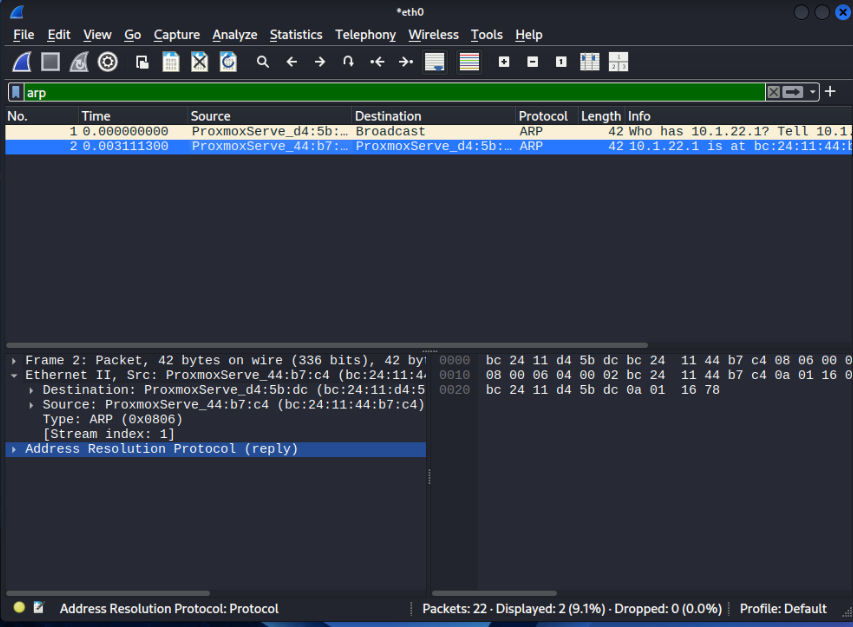
Deliverable 2: Find the ARP reply from the gateway back to your computer. Provide a screenshot that shows the ARP reply packet indicating the MAC address for your gateway.
-
Deliverable 3: What is the message sent in the ARP Request? What is the message sent in the ARP Reply?
- The message sent in the arp request was:
- Who has 10.1.22.1 Tell 10.1.22.120
- The message sent in the arp reply was:
- 10.1.22.1 is at bc:24:11:44:b7:c4
- The message sent in the arp request was:
2. Ping another student system on your LAN:
-
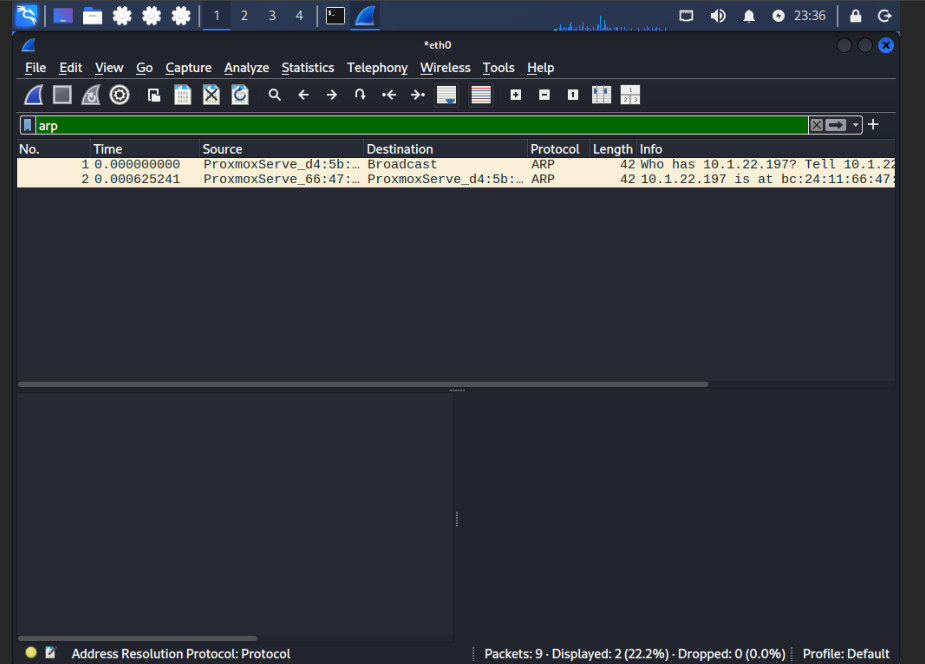
Deliverable 4. Figure out how to create a display filter for ARP traffic only and provide a screenshot showing any ARP traffic related to your neighbor's system.
-
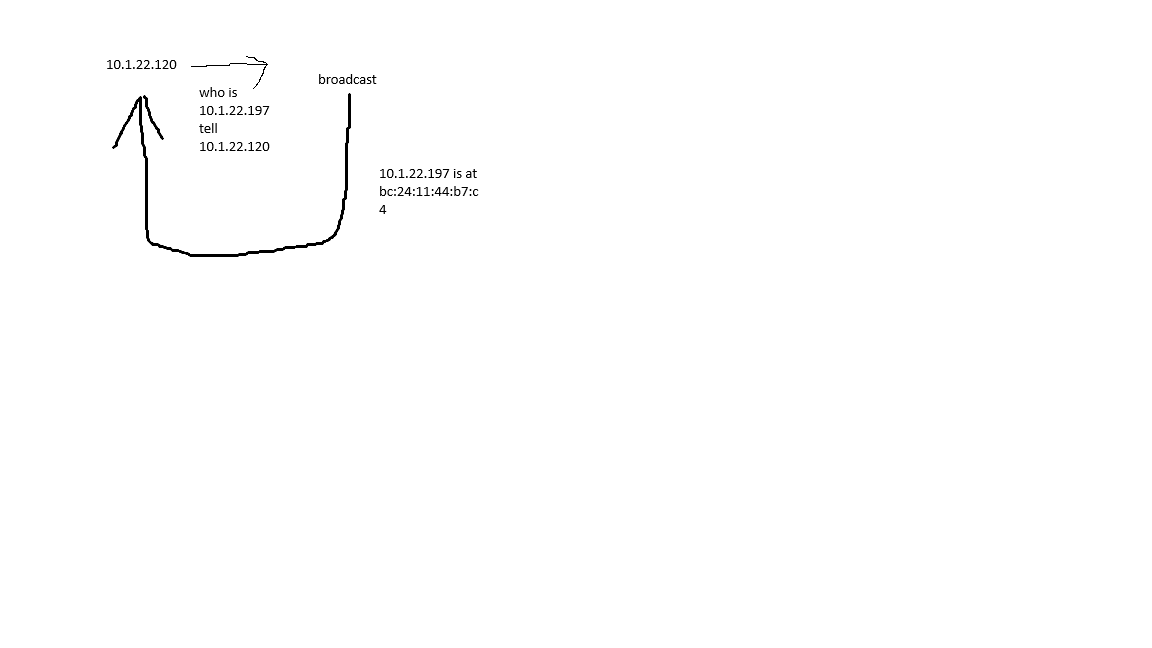
Deliverable 5. Using a piece of paper and a pencil/pen or even a whiteboard. Draw out the sequence of ARP request and Response to and from your neighbor. Take a picture of this with a mobile device and include it as part of your deliverable.
2. Repeat the capture and ping, but this time ping Google's Public DNS server - 8.8.8.8:
Deliverable 6. This is important. DO THIS AS A THOUGHT EXPERIMENT. What do you see in the ARP request and reply? Can you discern the MAC address for the google DNS server or not? Can you explain what happened?
- I see it asking for the gateway address, therefore I can not discern the mac address for the google dns server. It just left the local lan, so it used the ip address of the server not the mac address.