Lab 9 2
Summary:
This Packet Tracer lab's purpose is to help me gain better understanding of how to configure and troubleshoot OSPF version 2 in this lab we will configure a basic lab topology, enable OSPF on the routers and configure them to advertise their networks.
I ran into no issues while completing the lab.
Summary of understanding:
OSPF assigns RIDS which send ping packets to other ospf devices, and creating the routing table from that
Goals:
- Review basic router and switch configuration.
- Enable OSPF on a router.
- Advertise networks using OSPF.
- Examine the routes taken to connect to other LANs.
LAB:
Using the same starter Packet Tracer FileDownload Packet Tracer File from the "Static Route" lab, we will now configure the network using RIP. This means that the routers will learn about neighboring routers and network through RIP Broadcasts
- Configuring OSPF involves
- Enabling it on the router
- and, declaring which of the directly connected networks should be advertised, and in which area (we're using area 0 because this is a small network)
- Here is the configuration for R2 in our example:
- From "config" mode type:
- router ospf 1
- This will now put you in "router config mode"
- And then specify the networks directly connected to Router 2 along with the wildcard mask
-
network 192.168.30.0 0.0.0.255 area 0
-
network 10.10.20.0 0.0.0.255 area 0
-
- That's it!
- From "config" mode type:
- Repeat Step 2 for R1 and R3
- Make sure to update the network statements to specify the correct networks for those routers!
- Use the "show ip ospf neighbor" command in administrator mode to check OSPF neighbors (devices directly connected to). Post Screenshot for each Router
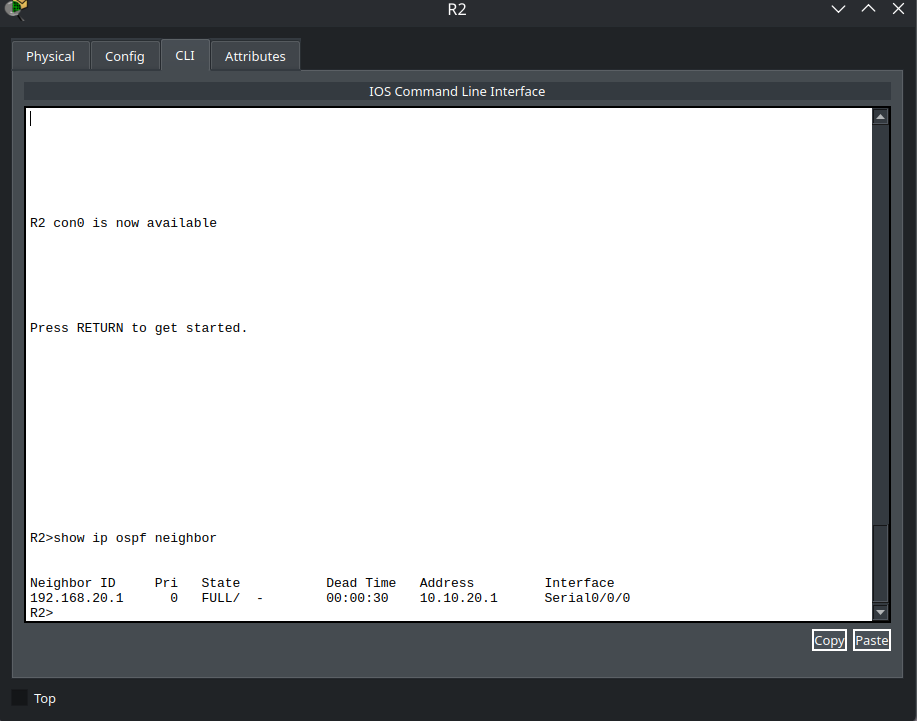
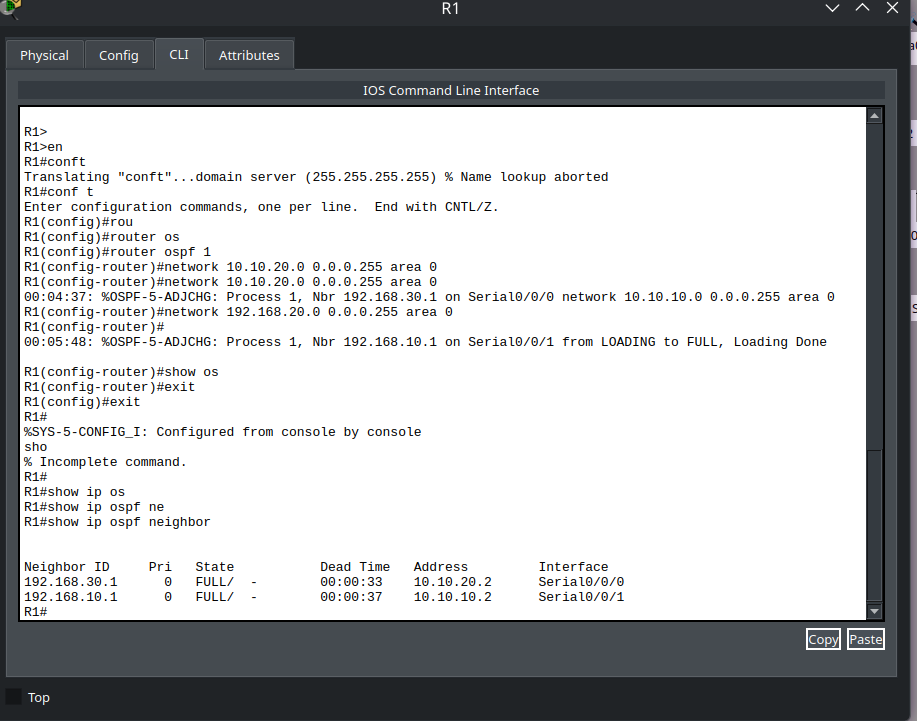
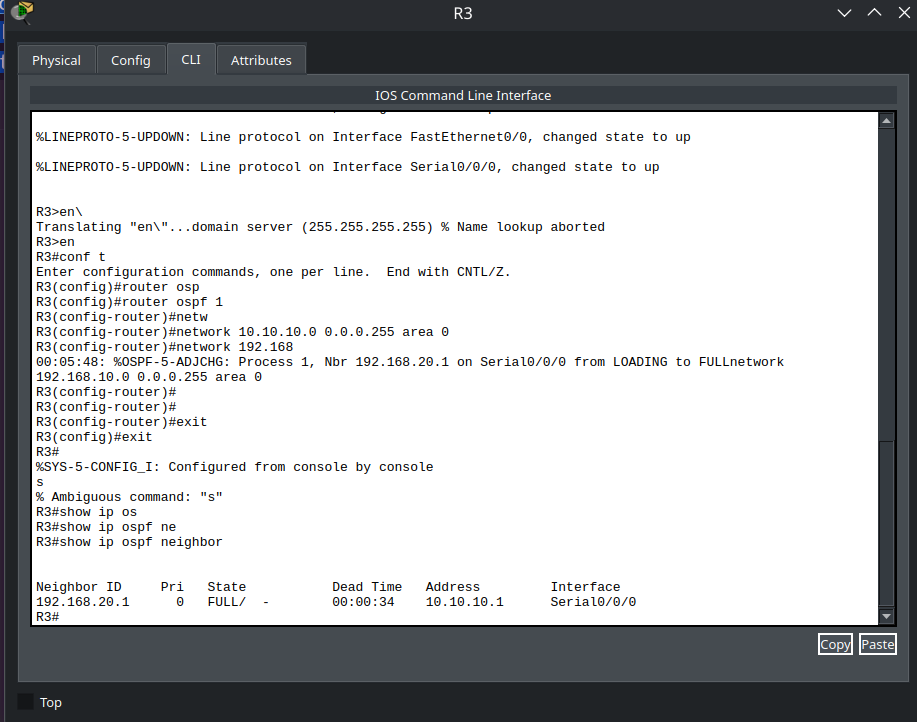
- If it is working, all PC's should now be able to ping one another
Inspect OSPF Routing Table
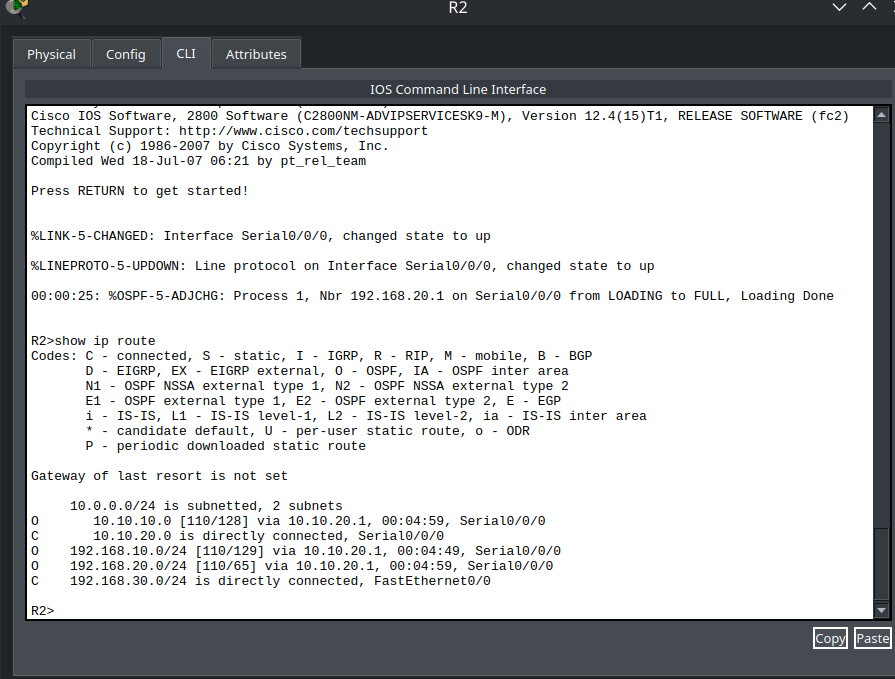
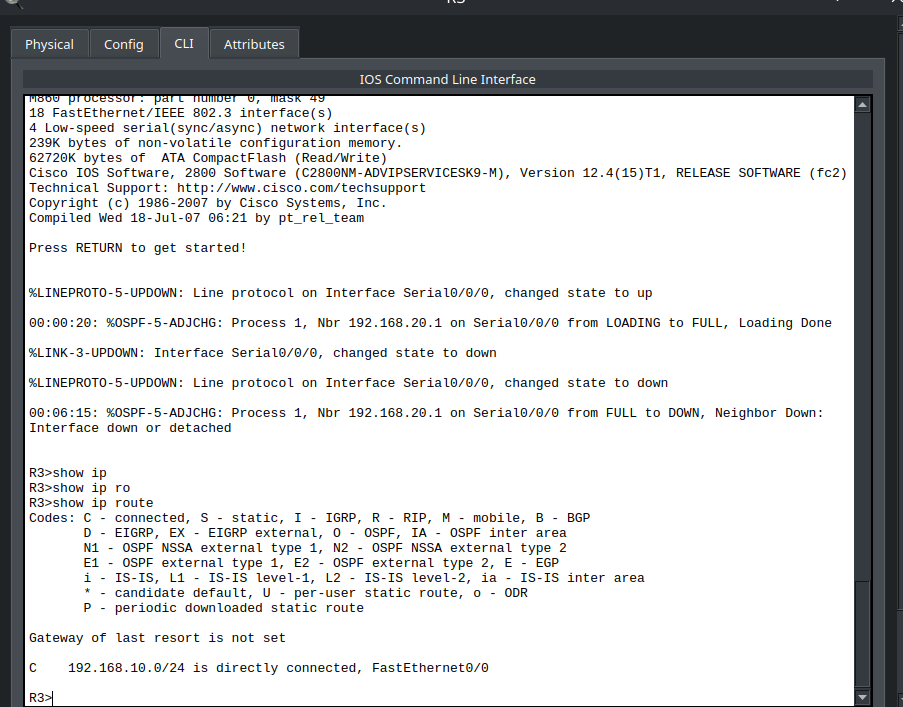
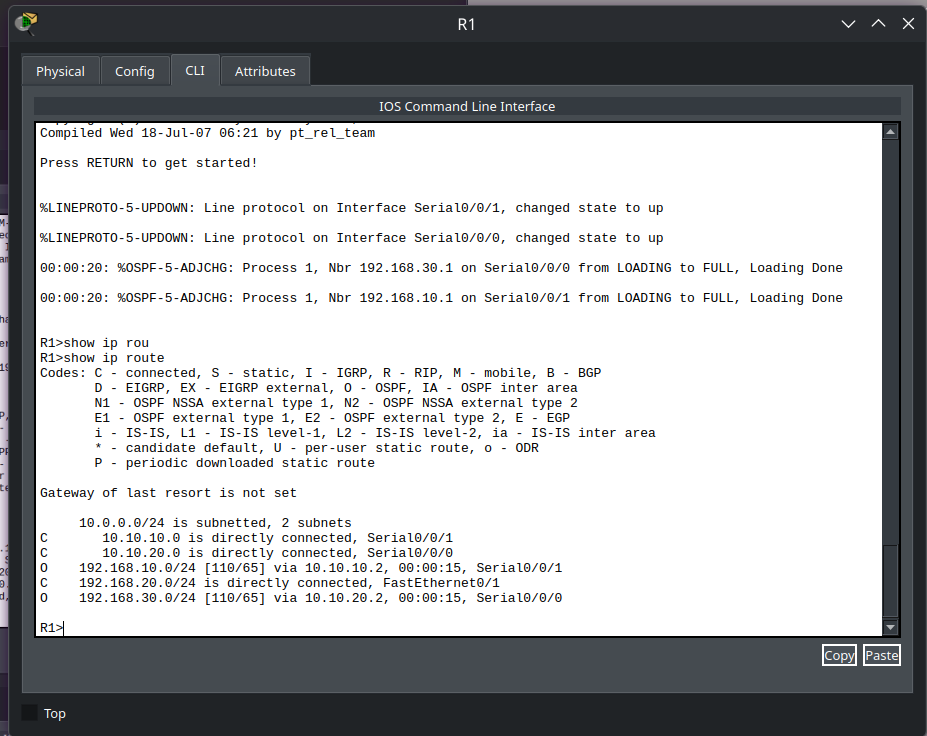
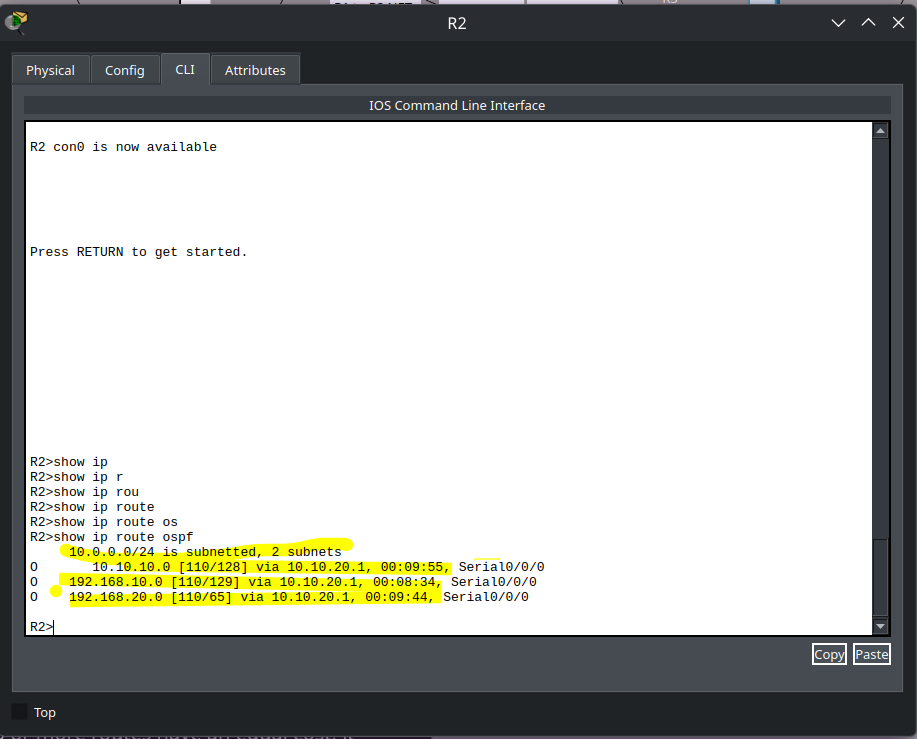
- Go to R2, exit "config" mode, and type "show ip route ospf". You should see only the OSPF routes in the table. Post Screenshot
- Examine each route in the routing table. The second number after the "/" in the square brackets indicates the OSPF cost.
- If multiple routes to a destination exist, OSPF adds only the fastest route to the routing table. If two or more routes have an equal cost, it adds all of them to the routing table in case of load balancing.
- Answer: What is the cost for each route in the table, and what is the lowest-cost network to communicate with?
- Run the command "show ip ospf 1" (1 equals the process ID). Post Screenshot with highlighted RID, number of areas, number of interfaces, number of LSAs, and anything else you find important.
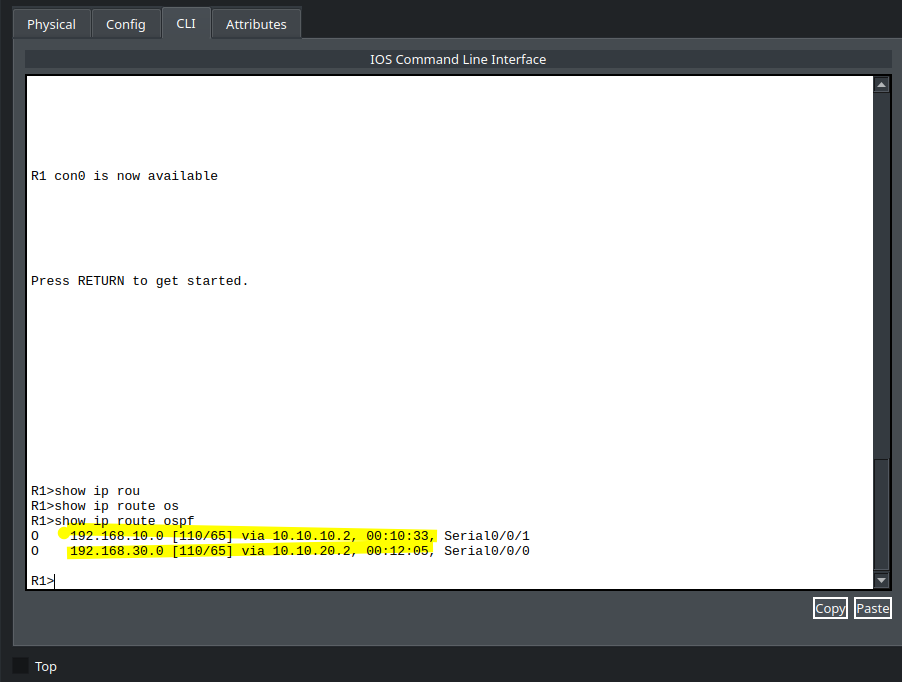
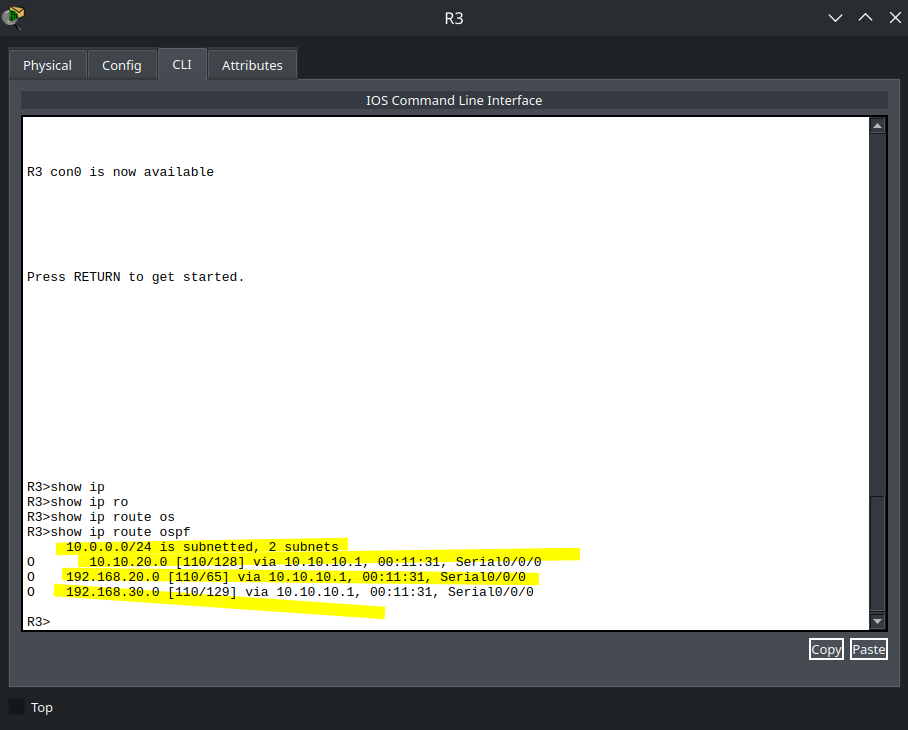
- Repeat 1-4 for R3 and R1.
Practice Saving Router config
- For each Router: save running config to NVRAM
- Turn router on and off
- Use Fast Forward button to get links back
- Check router to make sure Interface IP's are still there
- Submit Screenshot of each Router showing IP address on an Interface (1 Point each)